Shipped in the repo

Features you can verify in code.

This page tracks what the desktop sidecar and clients implement today—mail transport, calendar import, accessibility settings, Insight metering, and Polar plan gates—not a roadmap slide.

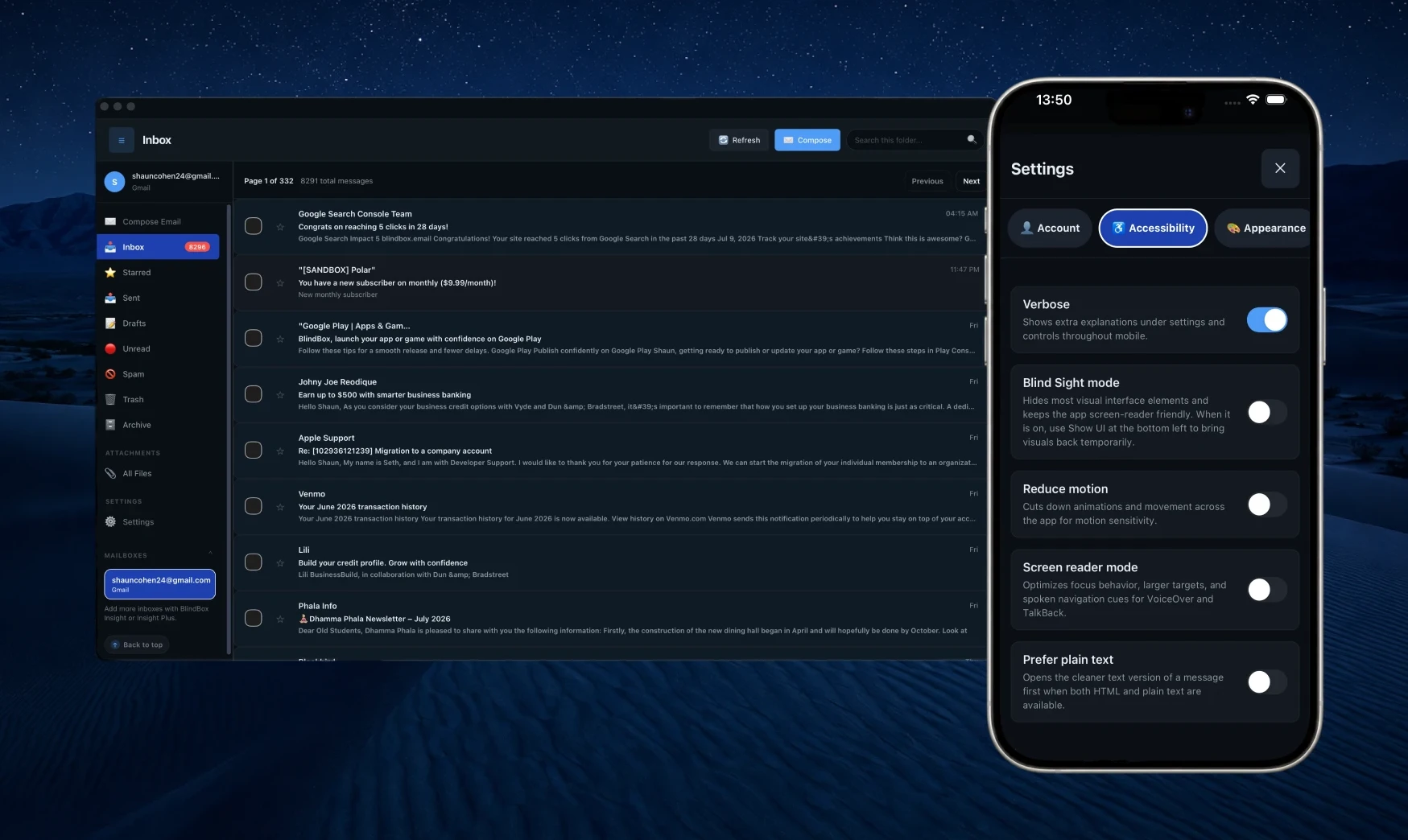
Illustrative BlindBox desktop inbox with folders, message list, and reading pane.

Capabilities

What the open-source client does today.

Use this list with security reviewers or assistive-tech teams—each bullet maps to modules you can read under desktop/, desktop/sidecar/, and mobile/.

Mail & identity

A real mailbox client: Gmail via OAuth, everyone else through IMAP/SMTP in the sidecar—with accessibility baked into the shell.

  • Gmail OAuth and IMAP/SMTP for Outlook, Yahoo, iCloud, Proton Bridge, and custom servers
  • Inbox, Sent, Drafts, Starred, Unread, Spam, Trash, and All Inboxes when you connect more than one account
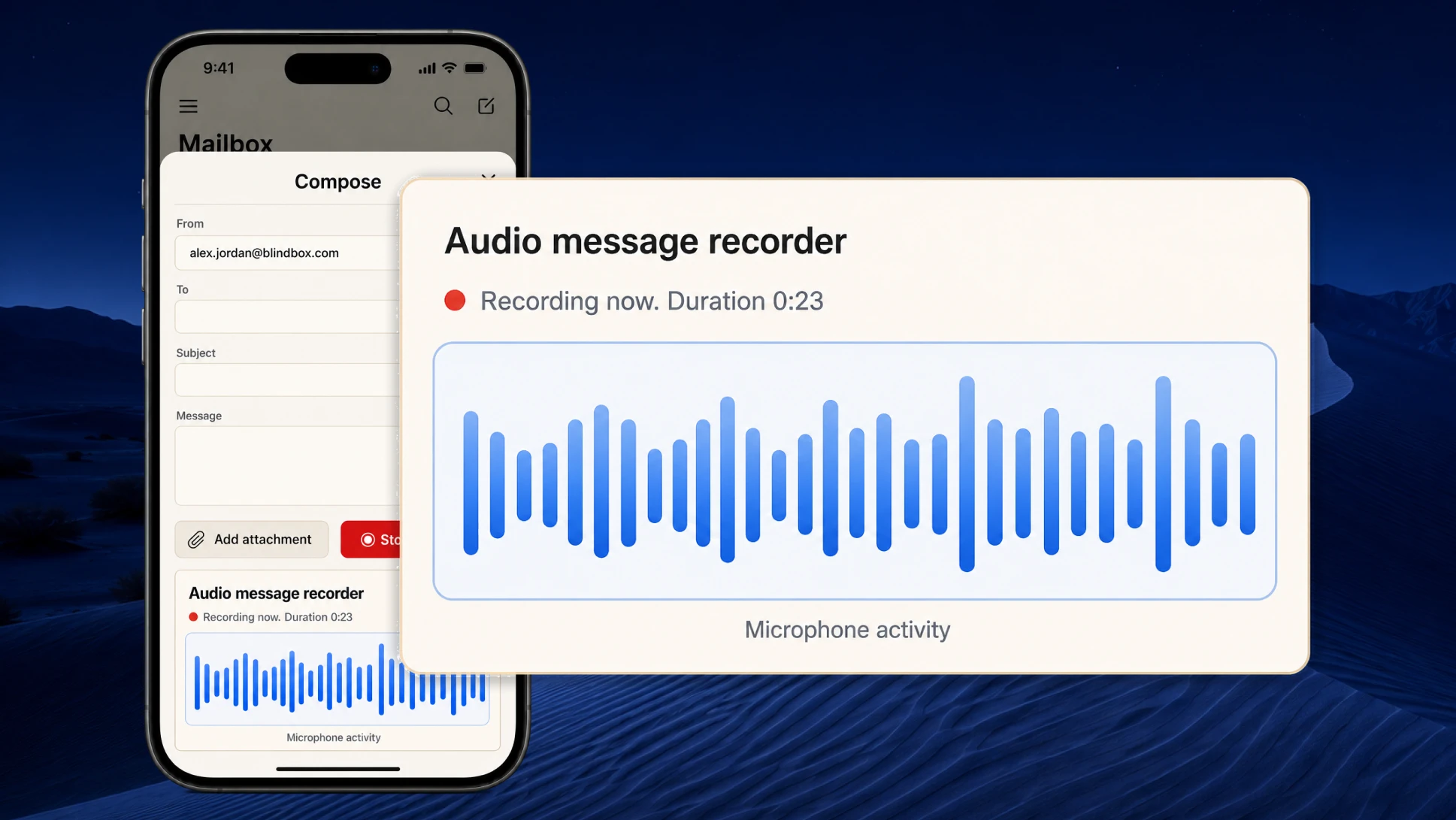
  • Read, star, compose, send, archive, delete; persisted sessions and restore-on-launch
  • Sidebar folder visibility/order, default mailbox, and appearance palettes (light, dark, high contrast)
Illustrative BlindBox unified inbox view alongside capability notes.

Calendar sync

Let invites become real calendar events with the structured data they already carry—no fragile scraping of messy body text.

  • Google Calendar via Gmail-linked OAuth and Calendar API scopes
  • Microsoft 365 / Outlook through Microsoft Graph mail + calendar
  • Apple iCloud via CalDAV with your existing app-specific password
  • Pick target calendars, import ICS parts, and keep scheduling trustworthy

Blind Sight & feedback

Accessibility is how we decide what to build—not a line item we paste on at the end.

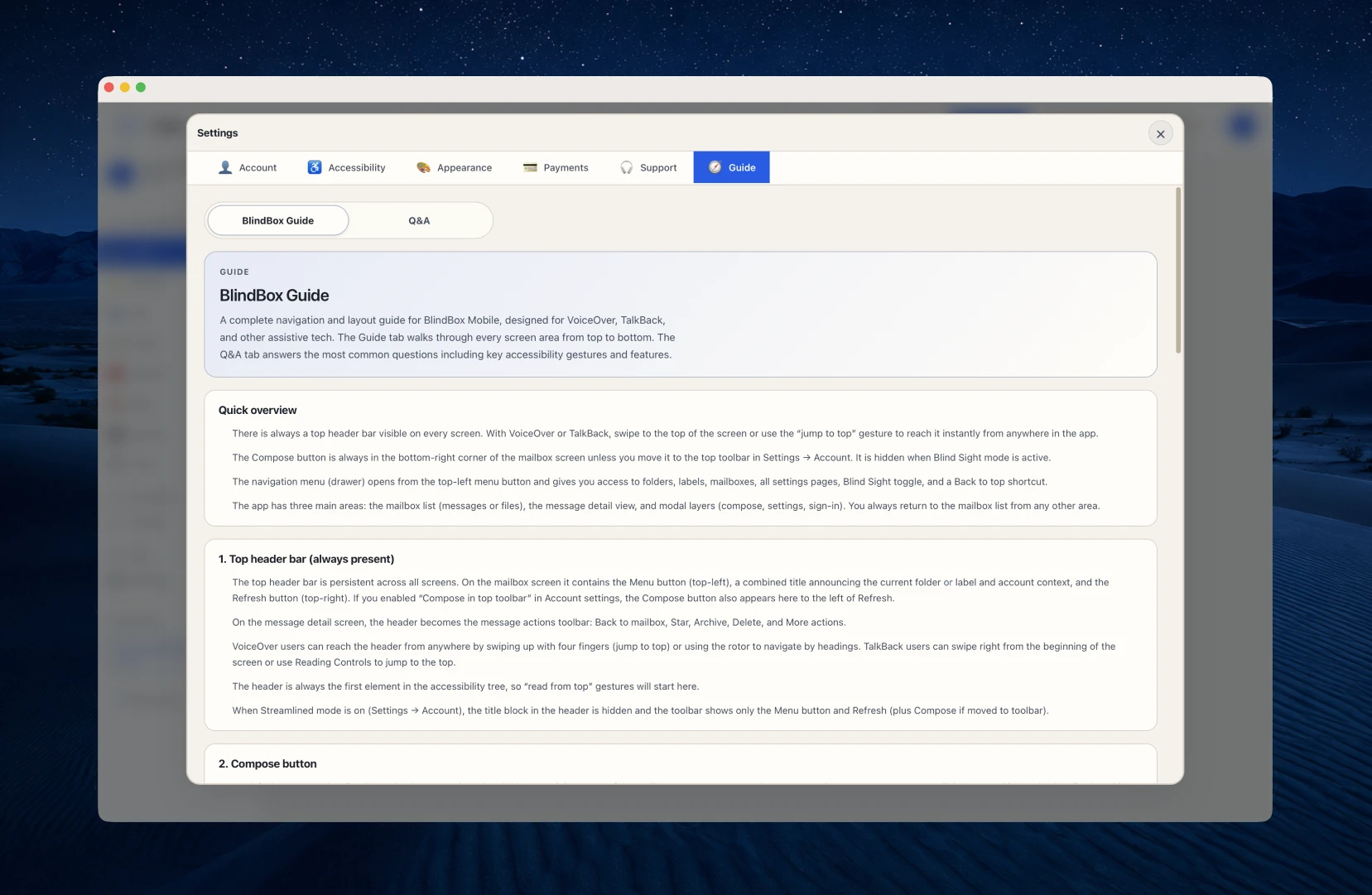
  • Blind Sight mode hides visual chrome while keeping full keyboard and screen-reader access
  • Global shortcuts for refresh, compose, folder jumps, and help
  • aria-live announcements and strong focus management across panes
  • Optional audio cues and appearance controls (contrast, motion, themes)

Insight (AI attachments)

Optional paid tiers add attachment intelligence with limits you can read and plan around.

  • Download attachments when your plan allows
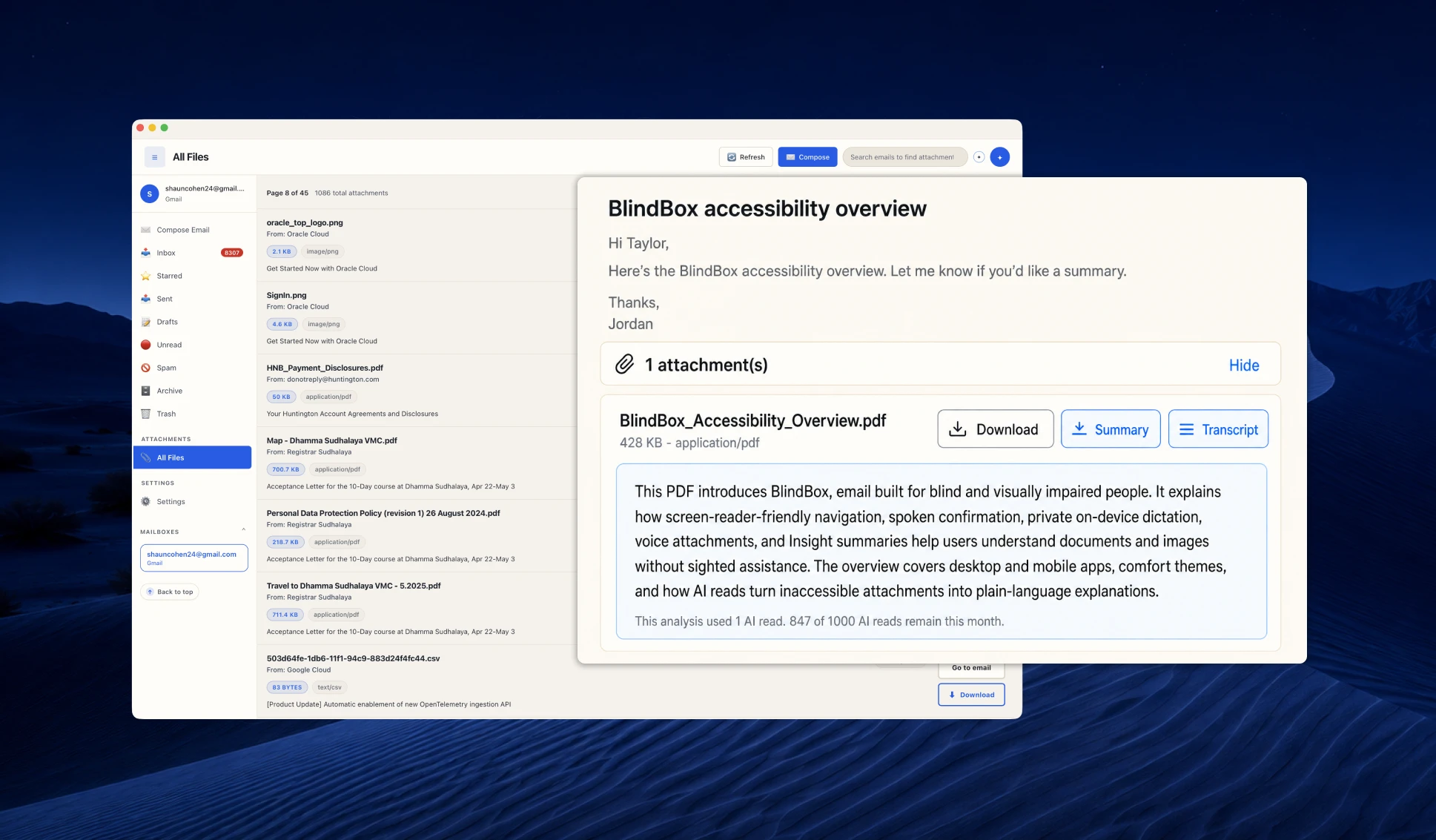
  • AI-generated descriptions and summaries for supported files
  • On-demand transcripts for PDFs and images
  • Monthly AI read allowances that scale from Insight to Insight Plus

Billing & subscriptions

Polar is the merchant of record; the sidecar stores subscription state and syncs via webhooks—never ship Polar secrets inside mobile bundles.

  • Basic: full accessibility tooling and calendar paths for one connected mailbox; no Insight AI reads
  • Insight / Insight Plus: higher monthly AI read limits plus multi-inbox support in the product
  • Self-serve checkout and customer portal from Polar where configured
  • Donation products when wired in `POLAR.md`

Platforms

Same priorities on desktop and mobile; different transport depending on what the OS can safely do.

  • Desktop: Nuxt 4 + Vue in Tauri v2, talking to `localhost` FastAPI (PyInstaller-bundled with releases)
  • Mobile: Expo app—sidecar-backed mode for parity, or optional direct Gmail OAuth/REST (non-Gmail IMAP stays on the sidecar)
  • Browser mode for desktop UI development against a running sidecar
  • SQLite sessions in the sidecar; client-side prefs for accessibility and themes

Connection

Mail stays with providers you already use

BlindBox is a client: Gmail signs in with OAuth; other providers use IMAP and SMTP through the FastAPI sidecar running beside the desktop app. Nothing replaces Gmail, Outlook, or iCloud—it routes traffic you authorize and persists sessions in local SQLite.

  • One connected mailbox on Basic; add more inboxes on Insight and Insight Plus (enforced in product).
  • Proton Mail Bridge and custom hosts work when you bring the right server details.
  • Restore-on-launch and mailbox ordering so returning feels predictable.

Why it matters

"We are not asking you to migrate domains—only to plug the accounts you already trust into a more accessible shell."

Illustrative BlindBox desktop window with folders, message list, and reading pane in a unified inbox view.

Calendar

Meeting invites use structured calendar data

When providers attach ICS payloads, BlindBox can create events via Google Calendar API, Microsoft Graph, or Apple CalDAV. That is different from parsing human prose in the body—if the structured part is missing, there is nothing honest to import.

  • Follows the integration guides shipped beside the code (`CALENDAR_INTEGRATION_SETUP.md`).
  • You choose which calendar receives imports; credentials stay on your infrastructure.
  • Same respect for keyboard and announcements while you confirm or edit details.

Why it matters

"Scheduling should ride on machine-readable data whenever the sender provides it."

Illustrative BlindBox reading pane showing a structured meeting invite with event details.

Flow

Triage built for keyboard and screen readers

The desktop UI keeps a steady landmark order: folders, lists, reading pane, compose. Global shortcuts mirror what is documented in the repo README, and Blind Sight strips visuals without stripping functionality.

  • Skip link, focus management, and aria-live announcements for meaningful changes.
  • Themes, contrast, motion reduction, font sizing, and readable-type options persist locally.
  • Optional sounds reinforce success, errors, and navigation when you want them.

Why it matters

"Speed for blind users is a design input—not a stretch goal after launch."

Illustrative BlindBox inbox with visible focus on a message and a subtle confirmation of a mailbox update.

Insight

Attachment intelligence with enforced limits

Insight tiers unlock downloads plus AI-generated descriptions, summaries, and transcripts for PDFs and images. The sidecar tracks monthly read allowances (for example 1,500 vs 7,500 reads) so usage stays legible on your bill.

  • Basic intentionally omits AI reads—only Insight and Insight Plus expose the attachment AI pipeline.
  • Polar products map to plan codes in `billing_service.py`; webhooks keep state honest.
  • Mobile gets the same limits when it talks to the sidecar.

Why it matters

"Optional, metered, and documented beats “unlimited magic” every time."

Illustrative BlindBox attachment view with optional Insight summary text beside a PDF.

Confidence

Feedback you can trust

Mailbox actions should never disappear into a silent UI. BlindBox combines live regions, focus cues, optional audio, and predictable layouts so confirmation is part of the default experience.

  • Pagination through long lists can announce progress when enabled.
  • Double-beep cues flag major transitions for folks who rely on audio landmarks.
  • Settings you care about survive restarts on both desktop and mobile clients.

Why it matters

"If you are not sure it worked, we treat that as a bug in the experience."

Illustrative BlindBox interface emphasizing clear feedback after a send or folder change.

Open roadmap

Honest about what ships today

This repository is a working client—not a finished platform play. Desktop + sidecar are the source of truth; mobile adds companion flows; some directories are experimental. We would rather describe the architecture clearly than oversell vapor.

  • Operators can read `README.md`, `POLAR.md`, and provider setup docs alongside the code.
  • Enterprise pilots start with hello@ and real constraints, not buzzwords.
  • Contributions and issue reports help prioritize the next accessibility wins.

Why it matters

"Mission is blind-first mail software you can inspect, run locally, and improve."

Illustrative BlindBox welcome screen inviting you to connect your first mailbox.

A good fit when

You want mail to feel
capable and kind.

If you juggle multiple inboxes, need to show that accessible tools can still feel premium, or want your team to move faster without leaving anyone behind—BlindBox was built with you in mind.

Typical webmail

Busy layouts, few shortcuts, and that quiet worry you missed something important.

BlindBox

Clearer structure, kinder feedback, and a flow that respects keyboard and screen-reader speed.

Get started

Run it against your own mailbox

Clone the repo, start the sidecar, and connect Gmail or IMAP—the shortcuts, Blind Sight toggle, and live regions only prove themselves with real threads.